2026 Personal Tech Stack
At the end of 2024, I documented my personal tech stack for the first time. I meant to do a 2025 update, but due to supply-chain issues we’re exactly a month past due here. I’ve made sure to post this update after market hours so I don’t disrupt the financial markets too much.
So Many Agents
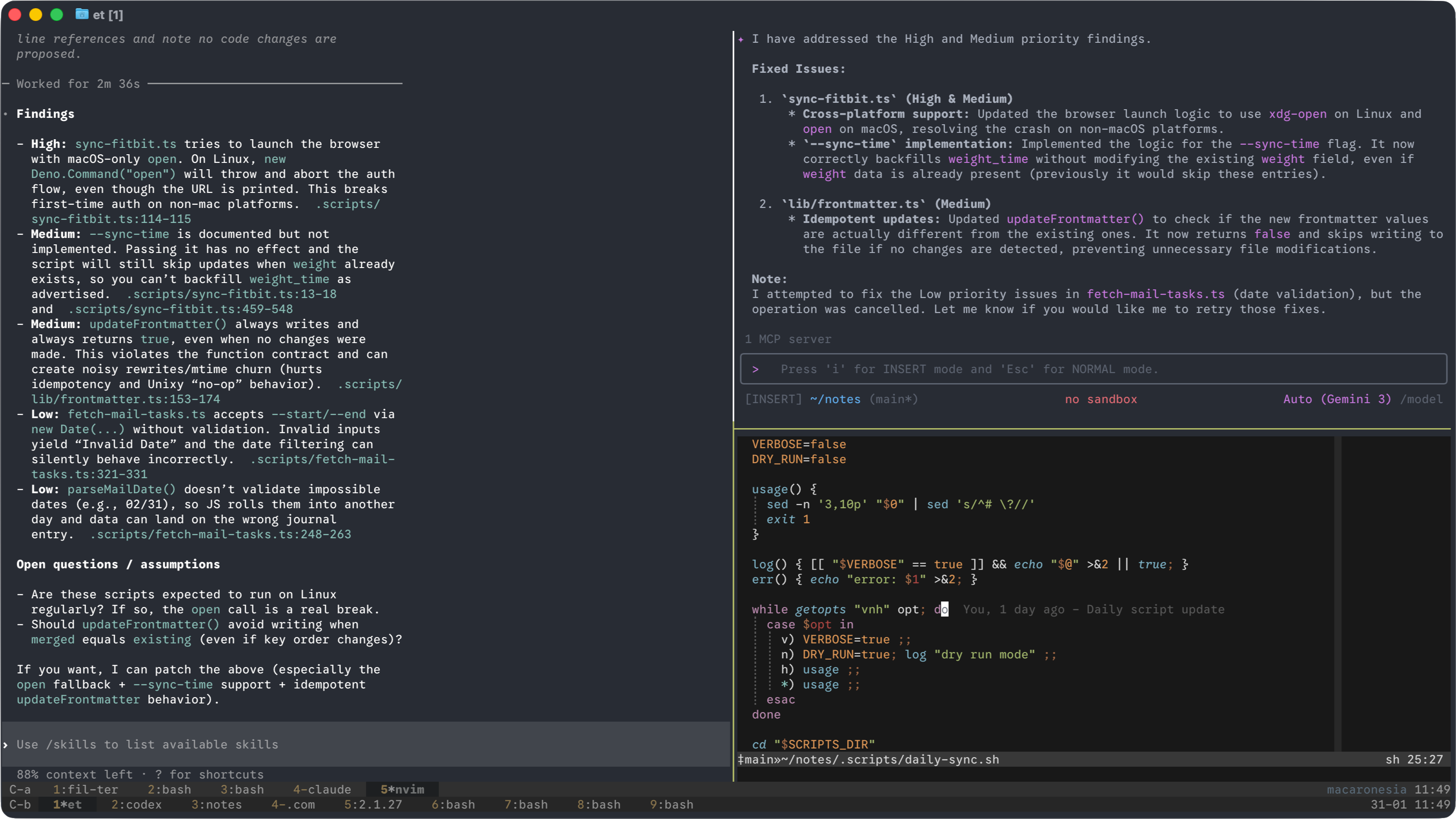
It’s a bit surreal that Claude Code is less than a year old. A year ago, I was playing around with aider and was ecstatic when (once in a while) I was able to get an initial rough draft of a code change. OpenAI’s o1-preview was expensive, but with a steady hand you could get some stuff done with it.
When I first started playing with Claude Code in early February, it was a slightly nicer experience than aider. Less futzing with manually including files, but nothing revolutionary. But new, better models kept on getting released, and everything changed so quickly.
Once Claude Code started picking up steam, codex, gemini, and a deluge of other coding agents joined the party. At the end of 2024, I was genuinely worried I’d have to abandon my terminal setup and give in to a GUI IDE. Instead, the opposite happened: suddenly being fluent in tmux and git worktree is a huge advantage! I’m routinely running three or four agents in parallel across different tmux panes with more running on a home server via SSH.
Currently, I mostly rely on Claude for the main planning (Opus) and execution (Sonnet), then loop in Codex and Gemini for code reviews. It’s easy to hit limits when multi-Clauding with Opus, which forces me to switch to Codex/Gemini. It’s important to try driving with other models once in a while, which is how I discovered that Gemini’s Flash family can be an absolute beast if you give it a clearly defined task. It’s my go-to for straightforward, easily verified tasks.
My model choices in 2025 changed at least monthly based on the latest release, and I have no doubt 2026 will be similar. Frankly, if you’re not constantly trying the latest you’re falling behind.
I also used web agents a fair amount, specifically Jules (Google) and Codex (OpenAI). Takes a bit of investment to get your environment set up, but it’s absolutely worthwhile to be able to kick off a bunch of tasks on your phone. Claude released an agent in late 2025, but the environment setup involves hooks which I haven’t invested time into figuring out yet. This is mostly since Jules and Codex have been good enough for the simpler tasks, and the more complex ones I typically go local.
I also keep trying the IDE-based agents - VS Code, Cursor, and the new-ish Antigravity. Aside from the traditional code-editing-centric view, they’ve all added an agent-centric mode that is functionally identical to Jules or Codex Web.
But I kept dropping back to the terminal. Old habits, yes, but it’s really hard to beat the ergonomics of tmux, bash, and vim once you git gud.
Hardware Consolidation
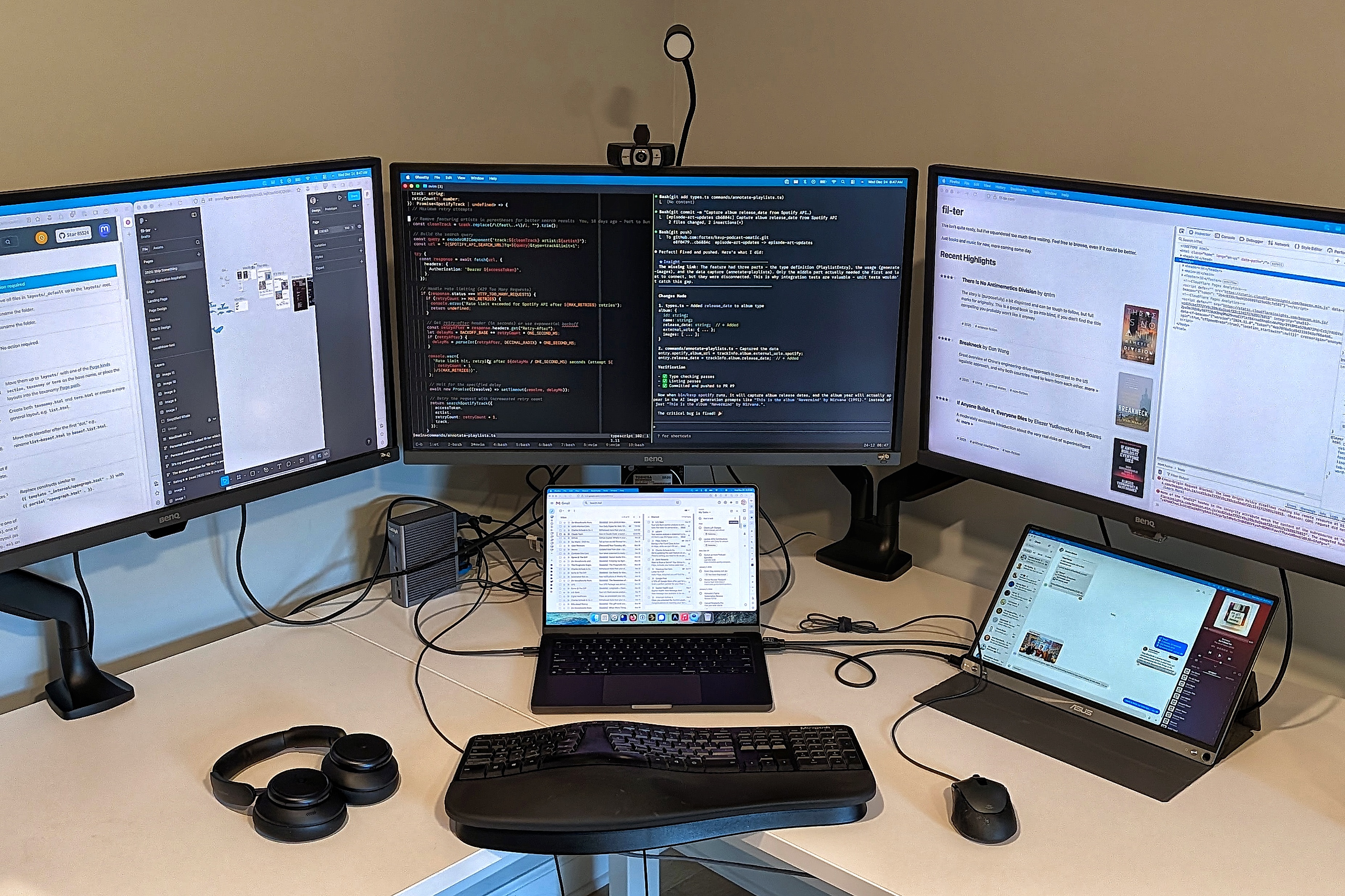
Last year I was juggling an M3 MacBook, a Windows desktop, a Framework laptop, a Chromebook, and a headless Linux server. I’ve collapsed this down to almost entirely Mac (one for work, one personal) with a little bit of Chromebook use when traveling. The Linux server persists, now running Debian Trixie with persistent tmux sessions for agent minions.
I still mourn the loss of a good tiling window manager. i3/Sway on Linux was nearly perfect, and nothing on macOS comes close despite valiant efforts from Rectangle (the best of the options I’ve tried). I’ve persevered through this untold hardship, but I want it on record that I’m suffering an absolutely inhumane amount here.
I bought some cheap Anker Soundcore noise-cancelling headphones after going without for over a decade. Turns out the technology has gotten dramatically better and I was an idiot for waiting. Still walking on the treadmill desk during meetings (typically four or five miles a day).
Other Terminal Tools
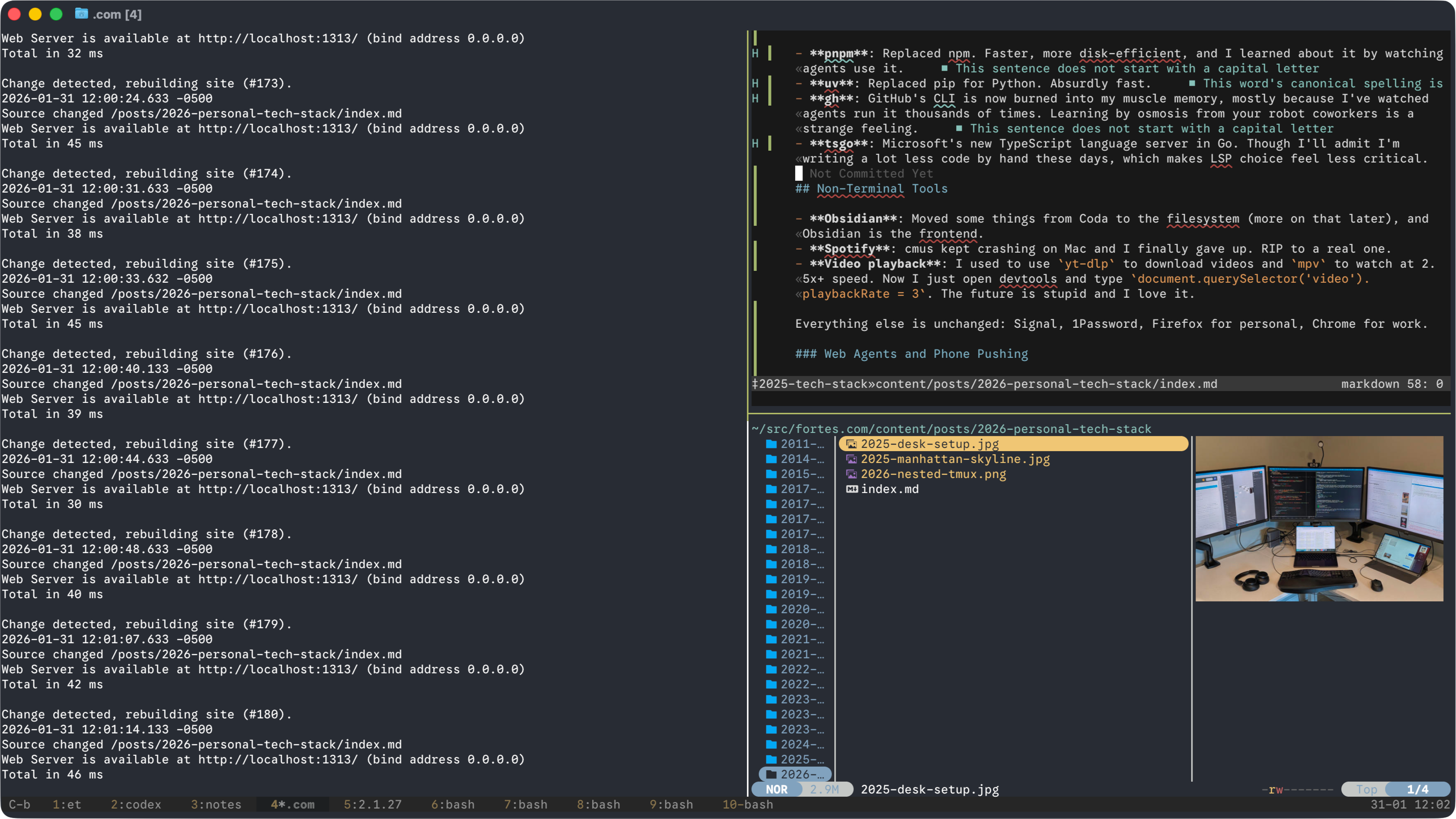
I’ve fully moved from WezTerm to Ghostty. It’s made a ton of progress, and it definitely helps to have a billionaire primary developer. The image viewing in Ghostty + yazi + tmux is genuinely nice.
Speaking of which, yazi has replaced vifm exactly as I predicted last year. Worthwhile for the image display alone.
Other changes:
- pnpm: Replaced npm. Faster, more disk-efficient, build steps must be manually approved.
- uv: Replaced pip for Python. Much faster.
- gh: Coding agents love it, so I’m trying to use it more. Best use is
gh pr create, but otherwise I often forget. - tsgo: Microsoft’s new TypeScript language server in Go is so much faster. I’m writing a lot less code by hand these days, so it doesn’t make as much of a difference in my day-to-day.
Non-Terminal Tools
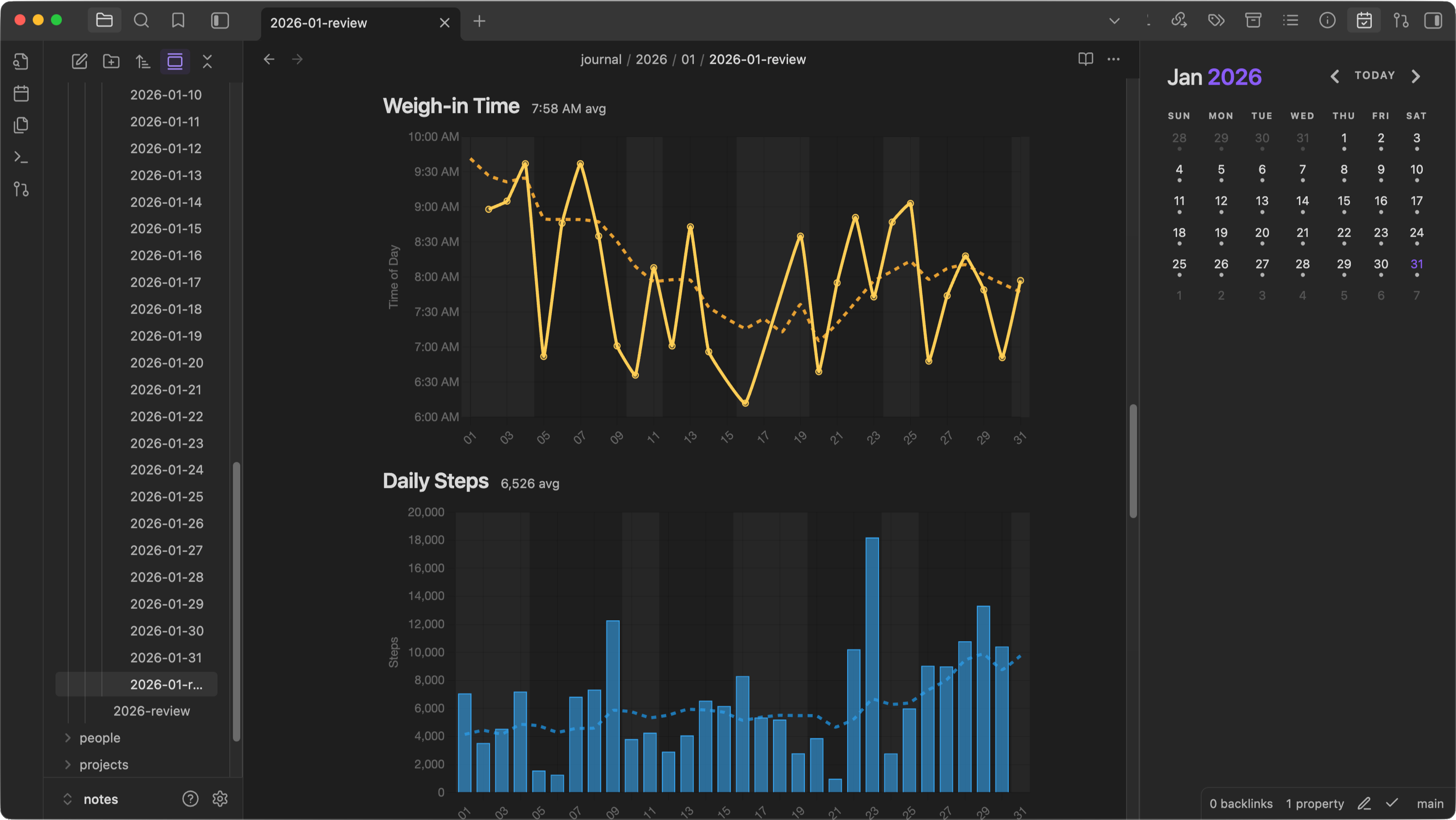
- Obsidian: Moved my personal and work journals from Coda to the filesystem using a combination of Neovim and Obsidian for editing. It’s really nice to have all this data sitting in Markdown and letting the LLMs party on top. I’m really enjoying this system, so I’ll break it out into a separate post … some day.
- Spotify: cmus kept crashing on Mac, so I tried ncspot which also had issues. Then I gave up and just went to the full Spotify app, but I need to find a better solution here.
- Video playback: I used to use
yt-dlpto download videos andmpvto watch things at 2.5x+ speed. I still do sometimes, but now I usually open DevTools and typedocument.querySelector('video').playbackRate = 2.5which works great.
Everything else is unchanged: Signal, 1Password, Firefox for personal, Chrome for work. Some of the new Gemini integrations in Chrome look pretty nice, so I may move back to Chrome once vertical tabs come out of beta.
What’s Next in 2026?
Honestly: No clue. I mean, I can try to predict some things but given how 2025 went I’d likely just make myself embarrassed next year.
At risk of embarrassment, I think it’s pretty safe to say I’ll still be terminal-heavy in a year. That old habit dies hard. Regardless of habit, there are pretty nice advantages to working within a local terminal for agents, so I’d be surprised if everything moved to the cloud with a nice GUI in front.
Moving my personal journal/logging systems to use formats that agents can work with worked out very well, so I can imagine doing that for a few systems. I worry that platform providers will increasingly start locking down their data, so I’ve been proactively archiving just in case.
Regardless of whatever new models come out, it’s still a safe bet my computer skills will remain superior to my social skills.
Pointless Aside: Screenshot Workflow
I got a few million complaints that my 2024 post didn’t have screenshots, so this year I tried to sprinkle a few in. Took me a little to find a reasonable capture flow (I really miss Linux for this type of thing), so I’m documenting it here for my future self.
First, resize the terminal to 1600px by 900px:
osascript -e 'tell application "System Events" to tell process "Ghostty" to set size of window 1 to {1600, 900}'
Now use the native Mac window capture mode via Cmd+Shift+4, then Spacebar, then click the window. This captures the window without the desktop background, but annoyingly includes a window shadow which I’m too much of a control freak to live with. (Well-adjusted individuals can skip this next part and move on with their lives)
Open the screenshot in Preview, use the Markup Toolbar and the magic wand tool, click and drag on the area outside of the window until you’ve selected everything outside of the window. Delete the selection, then reselect the area outside again (sadly, no saved selection in Preview), then invert the selection and crop.
Thanks to DJ Starr a far simpler method is available: Cmd+Shift+4 then press space, hold option before clicking the window to capture without shadow
Finally, save out the file, touch the f key of your keyboard exactly 3 times with your left ring finger, close both eyes for 1.5 seconds, and then lift your right foot at a 14.3 degree angle. Now simply go and touch all the doorknobs in your house exactly seven times and you’re all set!